How To Access Your Files
After your order is completed, your purchased Graphiqly files are available inside your account. Follow the steps below to log in and download your files anytime.
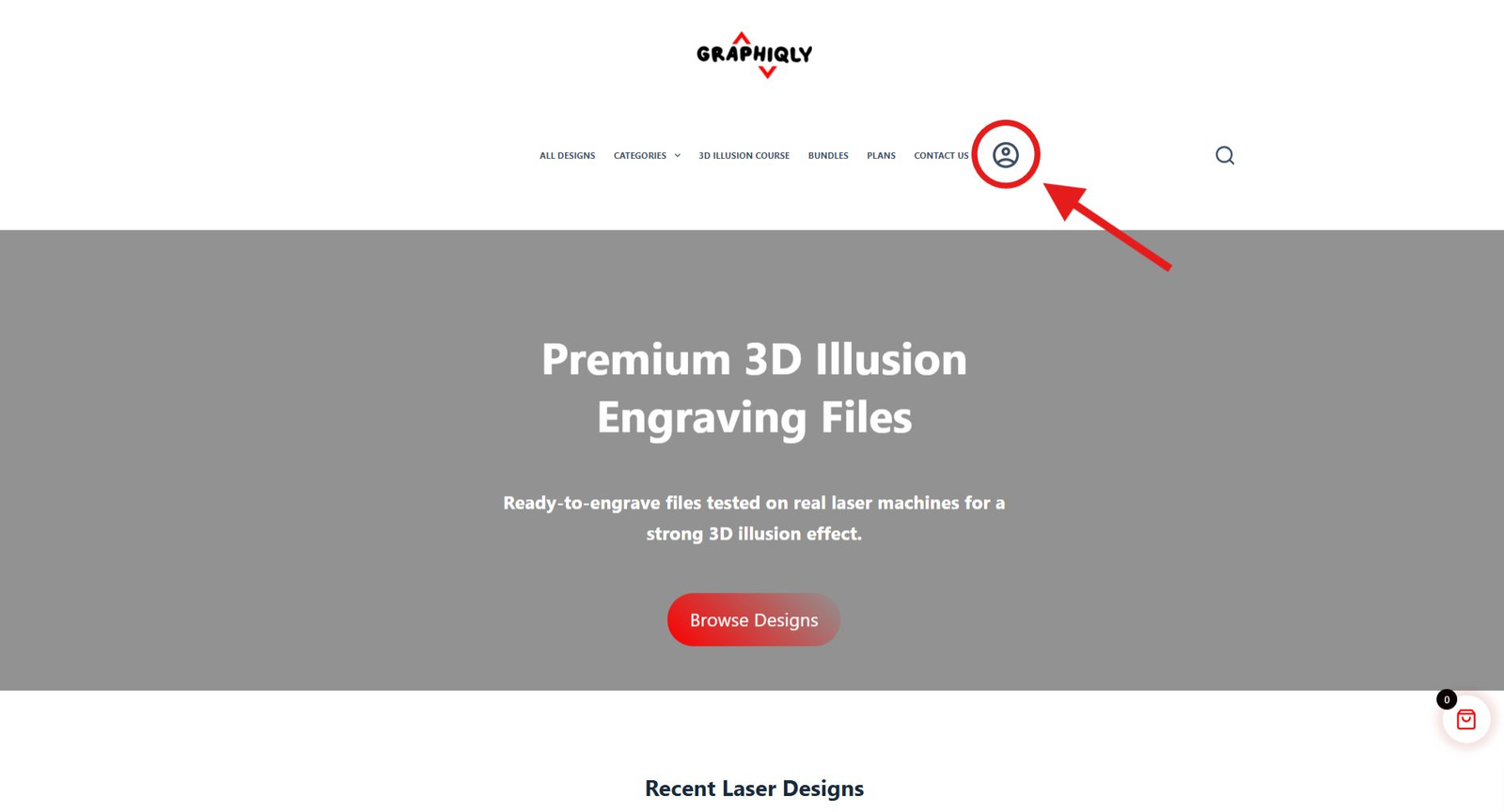
Click the account icon
On the top menu, click the account icon. This opens the login and sign up window.
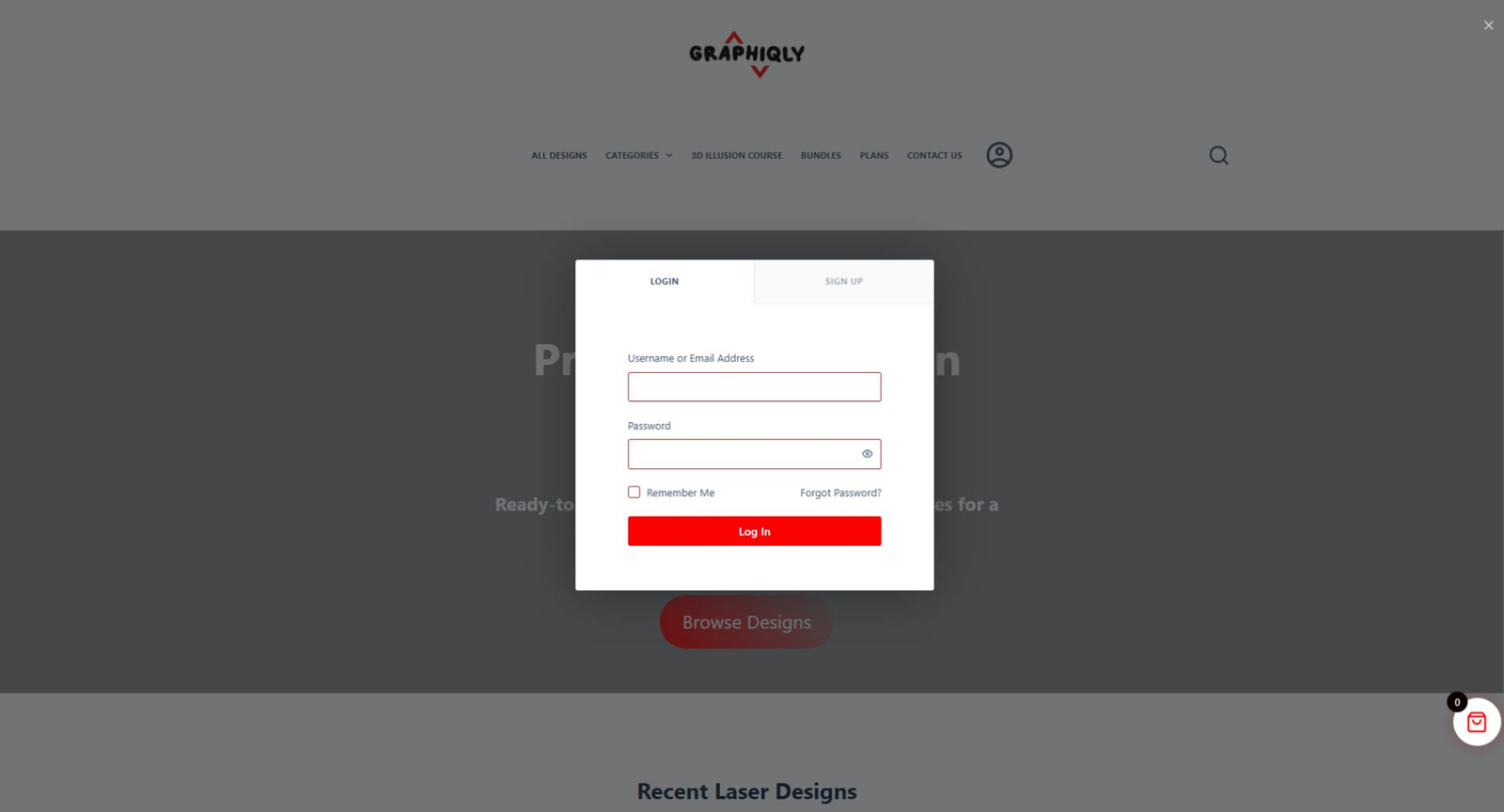
Log in or create an account
Enter your username or email address and password. If you do not have an account yet, use the Sign Up tab and create one with the same email used for your order.
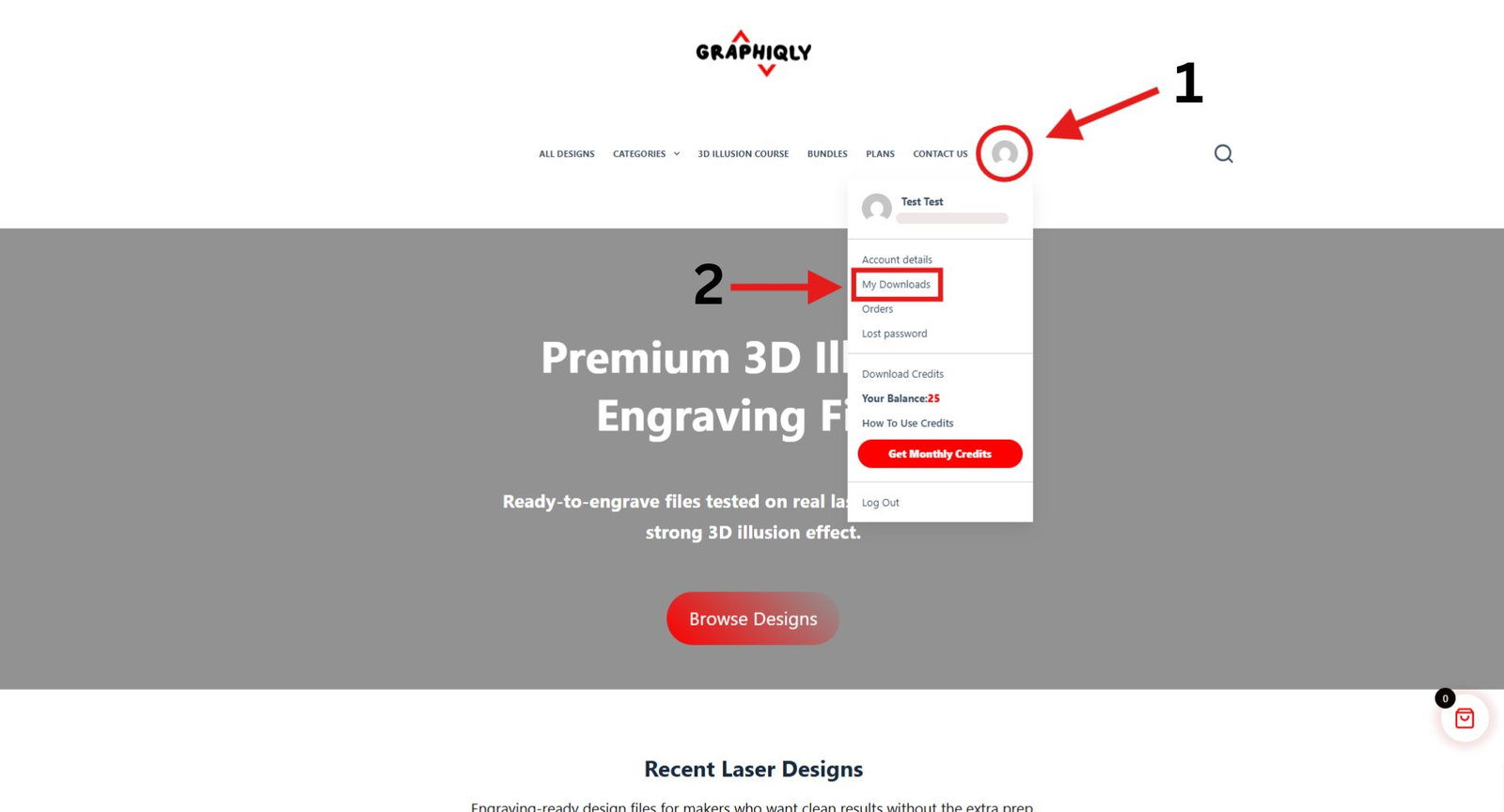
Open My Downloads
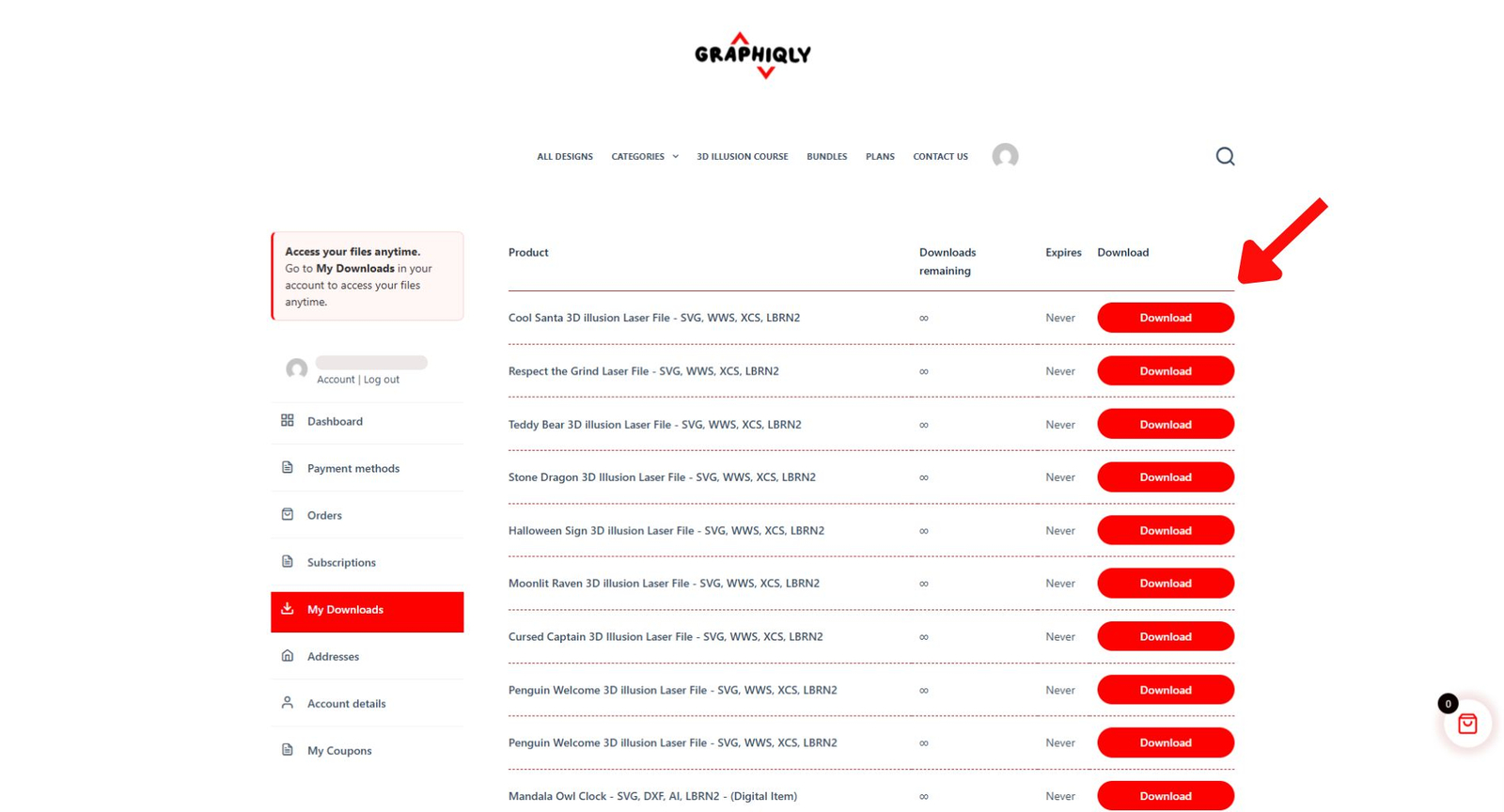
Once you are logged in, click the account icon again. From the account menu, choose My Downloads.
Download your files
On the downloads page, you will see your purchased products. Click the red Download button next to the file you want to download.
Need to access your files now?
Go to your account downloads page and sign in using the same email address you used when placing your order.
Common Questions
I do not see my files. What should I do?
Make sure you are logged in with the same email address you used at checkout. If you used a different email, the files may not appear in your account.
Can I download my files later?
Yes. Your purchased files stay available inside your account, so you can come back and download them again whenever needed.
Where are the file formats?
Most Graphiqly products include multiple file formats such as LBRN2, XCS, WWS, SVG, PNG, and BMP when available. Download the product file and unzip it to access the included formats.
What should I include when contacting support?
Please include the email address you used at checkout, your order number if available, and a short description of the issue. This makes it easier to find your order and help you faster.
Still need help?
If you still cannot access your files, contact Graphiqly support and include the email address you used at checkout. This helps us check your order faster.
Support email: support@graphiqly.com